
Technical guide
What Is a PTR Record? A Complete Guide
Learn what a PTR record is, how reverse DNS works, why PTR records matter for email and IPv4 networks, and how to configure and check them.
Explore IPv4 Continuity
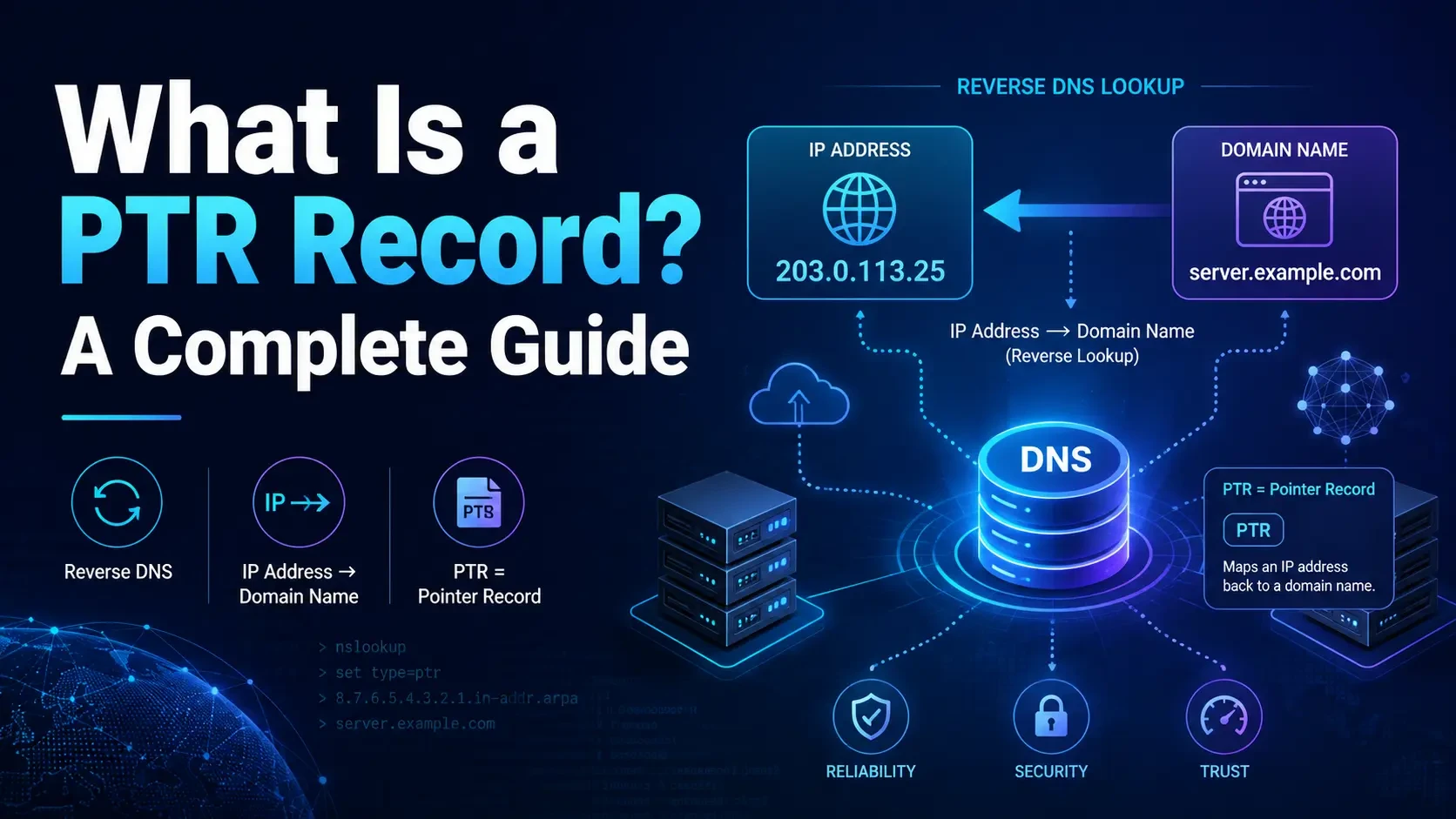
A PTR record, or Pointer record, is a DNS record that maps an IP address back to a hostname or domain name.
It performs the opposite function of the more familiar DNS A record.
An A record answers:
“What IP address belongs to this domain?”
A PTR record answers:
“What hostname is associated with this IP address?”
This process is called reverse DNS, or rDNS.
PTR records are particularly important for email infrastructure, server identification, network troubleshooting, security checks, logging, and production IPv4 operations. An incorrect or missing PTR record can create operational problems, especially when an IP address is being used for a mail server or another service where identity and reputation matter.
This guide explains how PTR records work, why reverse DNS matters, how to check a PTR record, and what organizations using leased or acquired IPv4 addresses should consider.
What Does PTR Mean in DNS?
PTR stands for Pointer.
A DNS PTR record associates an IP address with a hostname.
According to the Internet Engineering Task Force's RFC 1035, PTR resource records are part of the Domain Name System and are used to point to another location in the domain namespace.
For example, suppose a mail server uses:
203.0.113.25
Its PTR record might return:
mail.example.com
A reverse DNS lookup therefore works like this:
203.0.113.25 → mail.example.com
A normal forward DNS lookup works in the opposite direction:
mail.example.com → 203.0.113.25
Cloudflare's DNS documentation similarly explains that PTR records are used for reverse DNS lookups to identify the hostname associated with an IP address.
PTR Record vs A Record
One of the easiest ways to understand a PTR record is to compare it with an A record.
| DNS Record | Direction | Example |
|---|---|---|
| A Record | Domain → IPv4 address | mail.example.com → 203.0.113.25 |
| PTR Record | IPv4 address → Domain | 203.0.113.25 → mail.example.com |
An A record is part of forward DNS, while a PTR record is part of reverse DNS.
Ideally, for systems where forward-confirmed reverse DNS matters, the records should be consistent.
mail.example.com → 203.0.113.25
203.0.113.25 → mail.example.com
This creates a clear relationship between the hostname and the IP address.
What Is Reverse DNS?
Reverse DNS lookup, commonly abbreviated as rDNS, is the process of starting with an IP address and querying DNS to determine the hostname associated with it.
Normal DNS typically begins with a hostname:
www.example.com
and returns an IP address.
Reverse DNS begins with the IP:
203.0.113.25
and looks for a corresponding PTR record.
Cloudflare provides a useful overview of how reverse DNS works.
How Does a PTR Record Work?
PTR records are not normally stored inside the same DNS zone as a website's A, AAAA, MX, or CNAME records.
Instead, reverse DNS uses dedicated namespaces.
- For IPv4 addresses: in-addr.arpa
- For IPv6 addresses: ip6.arpa
IPv4 PTR Record Example
Take the IPv4 address:
192.0.2.25
To perform a reverse DNS lookup, the IPv4 octets are reversed:
25.2.0.192
Then.in-addr.arpais appended:
25.2.0.192.in-addr.arpa
A DNS resolver queries this reverse namespace for a PTR record.
If configured, the response might be:
mail.example.com
Who Controls a PTR Record?
This is one of the most important differences between normal DNS and reverse DNS.
If you own a domain such asexample.com, you can normally manage its A, MX, TXT, and CNAME records through your DNS provider.
PTR records work differently.
Control of reverse DNS generally follows control or delegation of the IP address space, rather than ownership of the domain name.
Depending on how the IPv4 block is structured, reverse DNS authority may be:
- Managed directly by the IP resource holder
- Delegated to the network operator
- Managed by an ISP
- Managed by a hosting provider
- Managed by an IPv4 leasing provider
- Delegated to authoritative DNS servers selected by the customer
For IPv4 blocks that do not align cleanly with traditional reverse DNS delegation boundaries, the IETF's RFC 2317 describes classless IN-ADDR.ARPA delegation.
This is why simply adding a PTR record to the DNS panel where your domain is hosted usually does not create reverse DNS for your IP address.
Why Are PTR Records Important?
1. Email Server Identification
Email is one of the most common reasons administrators encounter PTR records.
Receiving mail systems and anti-spam platforms may perform reverse DNS checks on the IP address connecting to their servers.
For example, a server might identify itself as:
mail.company.com
while using:
203.0.113.20
A coherent configuration could include:
A record:
mail.company.com → 203.0.113.20
PTR record:
203.0.113.20 → mail.company.com
A PTR record alone is not sufficient email authentication. Organizations running email infrastructure should also properly configure:
- SPF
- DKIM
- DMARC
- SMTP HELO/EHLO hostnames
- IP and domain reputation
2. IP Reputation
A public IP address develops an operational history.
Security platforms, mail systems, reputation databases, and abuse-management systems may evaluate signals associated with an IP address when deciding how to treat its traffic.
Reverse DNS can contribute to that identity.
A missing PTR record, generic hostname, outdated hostname, or hostname associated with the wrong infrastructure can create unnecessary ambiguity.
This becomes especially important when businesses buy or lease IPv4 address space.
Before deploying a block, operators should examine registration status, reputation, routing history, reverse DNS capability, abuse history, and geolocation.
Read LARUS's guide on how to check IP reputation before buying IPv4 addresses for additional due diligence considerations.
3. Network Troubleshooting
Reverse DNS can make network logs easier to understand.
Instead of seeing only:
203.0.113.25
an administrator may be able to identify:
mail.example.com
PTR lookups can therefore help during:
- Network troubleshooting
- Server investigations
- Log analysis
- Security reviews
- Abuse investigations
- Infrastructure inventory checks
4. Server and Service Identification
PTR records can help identify the intended hostname of infrastructure such as:
- Mail servers
- Dedicated servers
- Hosting platforms
- ISP infrastructure
- Cloud services
- Network gateways
- Customer-assigned infrastructure
5. IPv4 Leasing Operations
PTR management is particularly relevant when an organization leases IPv4 addresses.
The lessee may operate the workload, but control of the reverse DNS namespace may remain with the IPv4 provider unless suitable delegation or management arrangements have been established.
Before leasing IPv4 addresses, businesses should ask:
- Can PTR records be changed?
- Who submits rDNS requests?
- How quickly can changes be made?
- Can reverse DNS be delegated?
- Does the provider support custom hostnames?
- What happens to PTR records at renewal?
- What happens if the IPv4 block changes?
- Who is responsible for troubleshooting rDNS?
Learn more about LARUS first-party IPv4 leasing and continuity assurance.
What Is Forward-Confirmed Reverse DNS?
A commonly discussed configuration is Forward-Confirmed Reverse DNS, often abbreviated as FCrDNS.
The basic principle is simple.
First:
203.0.113.25 → mail.example.com
Then the returned hostname is resolved forward:
mail.example.com → 203.0.113.25
When both directions correspond appropriately, the relationship is more consistent than having a PTR record pointing to a hostname that resolves somewhere else.
How to Check a PTR Record
You can check a PTR record using common DNS command-line tools.
Using dig
dig -x 8.8.8.8
The-xoption performs a reverse DNS query.
Using nslookup
nslookup 8.8.8.8
Using host
host 8.8.8.8
These methods can be used before and after changing a PTR record to verify whether the expected hostname is publicly visible.
DNS changes may not appear everywhere immediately because resolver caches can retain previous information until the relevant TTL expires.
How to Set Up a PTR Record
Step 1: Identify the Public IP
Determine which IPv4 address needs reverse DNS.
203.0.113.25
Step 2: Choose the Correct Hostname
Decide what hostname the address should resolve to.
mail.example.com
Step 3: Configure Forward DNS
Create the appropriate A record:
mail.example.com → 203.0.113.25
Step 4: Request or Configure Reverse DNS
Use your ISP, hosting provider, IPv4 provider, IP management system, or delegated DNS infrastructure to configure:
203.0.113.25 → mail.example.com
Step 5: Verify the Result
Run:
dig -x 203.0.113.25
Then verify the forward lookup:
dig mail.example.com A
Common PTR Record Problems
No PTR Record
The IP address returns no hostname during a reverse DNS lookup.
For some workloads this may not matter, but it can become an issue for infrastructure where reverse identification is expected.
PTR Points to the Wrong Hostname
For example:
203.0.113.25 → old-server.example.com
This may happen when address space is reassigned or repurposed and historical reverse DNS records are not updated.
Forward and Reverse DNS Do Not Match
For example:
203.0.113.25 → mail.example.com
but:
mail.example.com → 198.51.100.10
The reverse and forward paths are now inconsistent.
Generic Provider PTR
Some infrastructure may initially use reverse DNS such as:
203-0-113-25.provider.example
This may be acceptable for some workloads, but organizations operating dedicated mail or customer-facing infrastructure may prefer a hostname associated with their own services.
PTR Was Not Updated After an IPv4 Transfer
When IPv4 address space changes administrative control, operators should review reverse DNS alongside registry, routing, and related operational information.
LARUS discusses these considerations in its guide to IPv4 address transfer best practices.
PTR Records and IPv4 Transfers
An IPv4 transfer is not complete from an operational perspective simply because the registry reflects the new resource holder.
After an address block changes hands, teams should review:
- Reverse DNS delegation
- PTR records
- Forward DNS
- RPKI and ROAs
- Routing objects
- BGP announcements
- Geolocation data
- Abuse contacts
- IP reputation
- Blacklist status
If the previous operator's PTR records remain in place, they may incorrectly identify the new infrastructure.
PTR Records and Leased IPv4 Addresses
Leased IPv4 addresses introduce a different operating model.
The address holder and the network using the address may be different organizations.
The important question therefore becomes:
Who has operational authority to manage reverse DNS?
Before deploying leased IPv4 space for production workloads, especially email, hosting, or other identity-sensitive services, confirm how PTR requests and reverse DNS delegation are handled.
LARUS operates a first-party IPv4 leasing model designed to support operational continuity, including areas such as rDNS coordination, routing validity, reputation monitoring, abuse workflow handling, geolocation support, and lifecycle management.
Learn more about leasing IPv4 directly from LARUS.
PTR Record Best Practices
-
Use meaningful hostnames.
Avoid random or misleading names for important production infrastructure.
-
Keep forward and reverse DNS consistent.
Make sure the hostname returned by the PTR record resolves appropriately.
-
Review PTR records before deploying mail servers.
Reverse DNS should be part of the deployment checklist.
-
Update PTR records when infrastructure changes.
Remove stale records after migrations, transfers, or server replacements.
-
Verify reverse DNS after acquiring or leasing IPv4 space.
Do not assume historical PTR records have already been removed.
-
Know who controls your reverse DNS.
Document whether authority belongs to your team, ISP, hosting provider, or IPv4 provider.
-
Include rDNS in continuity planning.
Ensure PTR management remains available throughout the lifecycle of the IPv4 block.
Does Every IP Address Need a PTR Record?
Not necessarily.
A PTR record is not required for every possible use of an IP address.
The importance depends on what the IP address is doing.
For a public mail server, reverse DNS can be very important. For some ordinary web infrastructure, applications, or internal systems, PTR configuration may be less critical.
The better question is:
Does the service running on this IP depend on reliable reverse identity?
If the answer is yes, PTR configuration should be part of the deployment plan.
PTR Records Are Small but Operationally Important
A PTR record contains a simple mapping:
IP address → hostname
But that small piece of DNS infrastructure connects several larger operational concerns: identity, email delivery, reputation, troubleshooting, network management, and IPv4 lifecycle management.
For businesses deploying public IPv4 infrastructure, reverse DNS should be reviewed alongside routing, RPKI, reputation, abuse handling, and geolocation—not after the service has already entered production.
This is particularly important with leased IPv4 space, where responsibility for the network workload and responsibility for reverse DNS may sit with different organizations.
Explore LARUS IPv4 solutions or learn more about first-party IPv4 leasing.
Frequently Asked Questions About PTR Records
1. What is a PTR record?
A PTR record, or Pointer record, is a DNS record that maps an IP address to a hostname. It is primarily used for reverse DNS lookups and performs the opposite function of an A record. PTR resource records are defined in the IETF's RFC 1035.
2. What is the difference between a PTR record and an A record?
An A record maps a hostname to an IPv4 address, while a PTR record maps an IPv4 address back to a hostname. For example, an A record could map mail.example.com to 203.0.113.25, while the PTR record maps 203.0.113.25 back to mail.example.com.
3. Why is a PTR record important for email?
Reverse DNS is commonly used by email and anti-spam systems when evaluating sending infrastructure. A properly configured PTR record helps associate the sending IP address with a recognizable hostname, although PTR should be used alongside SPF, DKIM, DMARC, and good IP reputation.
4. How do I check the PTR record of an IP address?
You can perform a reverse DNS lookup using commands such as:
dig -x IP_ADDRESS
nslookup IP_ADDRESS
host IP_ADDRESS
If a publicly resolvable PTR record exists, the result should return its associated hostname.
5. Can I create a PTR record for a leased IPv4 address?
Yes, provided the IPv4 provider supports reverse DNS configuration or delegates control of the relevant reverse DNS zone. Because PTR authority normally follows the IP address infrastructure rather than the domain registrar, you may need to request the change from the organization providing the IPv4 address.
Learn more about LARUS IPv4 leasing and rDNS coordination.
Keep your network moving
Turn the next answer into your next network move.
Build with Unlimited IPv4 and explore LARUS Continuity for the network your customers depend on.